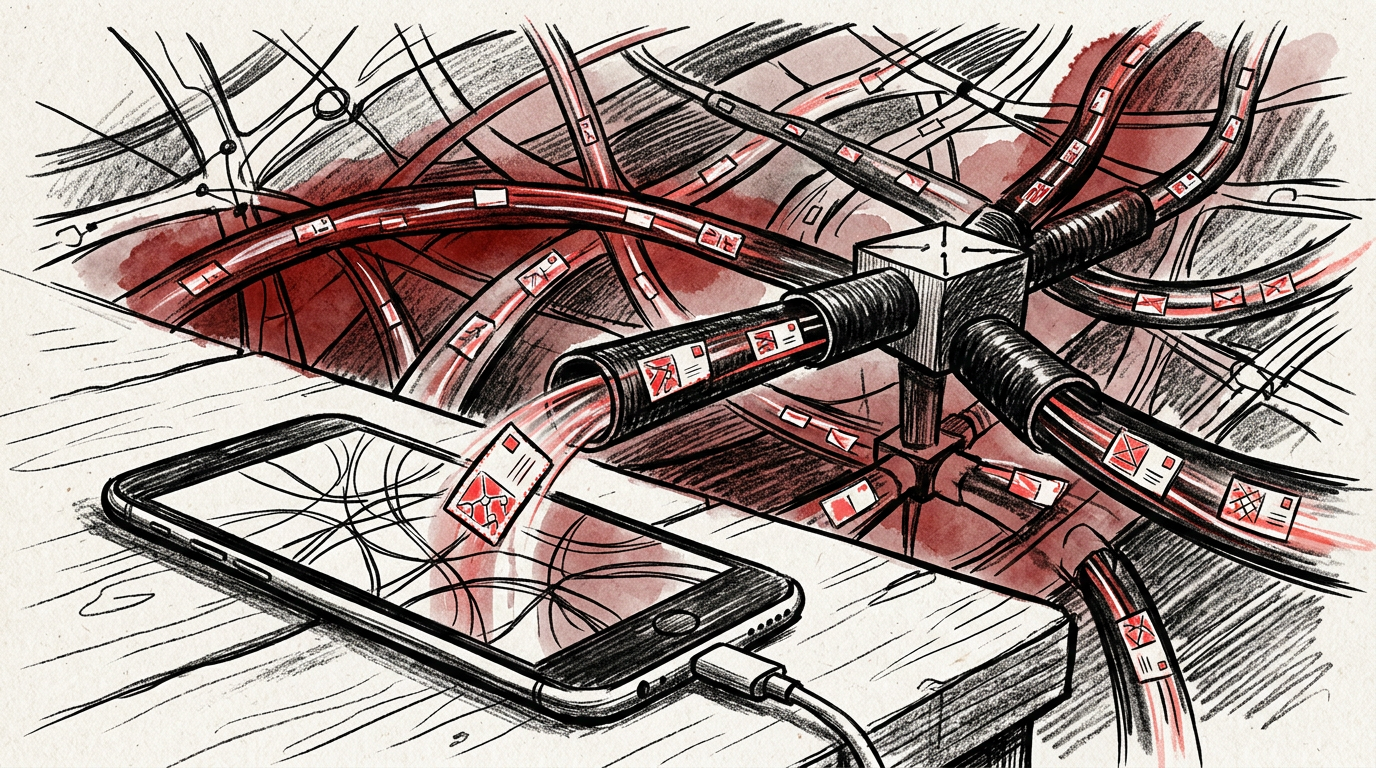
The internet is a packet delivery machine
A scene at the coffee counter
You tap a link on your phone while waiting for coffee. The page appears before the barista finishes saying your name.
That tiny moment feels like magic because the physical trip is hidden. Your phone talks to a Wi-Fi router or a cell tower. That router talks to another router. Somewhere, a data center answers. The answer comes back as a pile of tiny pieces, and your phone reassembles them into a page, video, receipt, map, or message.
No single wire runs from your phone to that website. No central computer looks up every request and hands it to the right place. The internet is stranger and more practical than that. It is a giant agreement between machines: break information into pieces, label the pieces, pass them along, and let the edges put them back together.
That agreement is why a laptop in Ohio can load a store hosted in Virginia, why a FaceTime call can cross an ocean, and why one broken cable rarely takes the whole thing down.
The internet is not a cloud. It is pipes, radios, glass, chips, addresses, rules, money, and a lot of retrying.
What it actually is
The internet is a network of networks.
That phrase sounds tidy, but it means something specific. Your home network, Verizon’s mobile network, Comcast’s broadband network, a university network, Amazon Web Services, Google Cloud, a hospital system, and a small rural ISP can all connect because they agree to speak a shared set of technical rules called protocols.
A protocol is just a formal way for machines to talk. Humans use protocols too. A mailing address has a street, city, state, and ZIP code. A phone call starts with dialing and ends when someone hangs up. If everyone follows the format, strangers can coordinate.
The internet’s core protocols are usually called TCP/IP:
- IP, or Internet Protocol, handles addressing. It helps machines know where a piece of information should go.
- TCP, or Transmission Control Protocol, helps make delivery reliable. It checks whether pieces arrived and asks for missing ones again.
Modern services also use UDP, a simpler transport method that does not wait around for every missing piece. Many video calls, games, and newer web connections use UDP or QUIC, a protocol built on UDP, because speed can matter more than perfect delivery. If one video frame gets lost, you may never notice. If one bank transaction gets lost, you absolutely will.
The basic unit of internet travel is the packet. A packet is a small chunk of data wrapped with information about where it came from, where it is going, and how it fits with the other chunks.
A photo, web page, PDF, or movie does not usually travel as one big blob. It is chopped into packets. Those packets may take different routes across different networks. Your device puts them back together at the end.
This design came from real engineering history. In the 1960s, Paul Baran at RAND and Donald Davies at the United Kingdom’s National Physical Laboratory separately developed ideas around packet switching: splitting messages into small pieces so networks could survive failures and use capacity efficiently. Claude Shannon’s 1948 work on information theory gave engineers a deeper way to think about messages, noise, and signals. Vint Cerf and Bob Kahn published their TCP design in 1974, and on 01/01/1983, ARPANET adopted TCP/IP, a key moment in the internet’s growth.
The idea was not to build one perfect road. It was to build a system where many imperfect roads could still get the message through.
Why it matters
Understanding the internet changes how you think about speed, privacy, outages, security, and power.
Start with speed. When someone says they have “fast internet,” they often mean bandwidth: how much data can move per second. Bandwidth is like the width of a highway. But the time it takes a packet to make a round trip is latency. Latency is the delay at a red light, the distance to the destination, and the time spent waiting at each stop.
A 4K movie needs lots of bandwidth. A live video call needs low latency. A website checkout needs both, plus servers that answer quickly.
Privacy is easier to understand too. Your message passes through equipment you do not own. That does not mean every router can read everything. HTTPS, the secure version of HTTP, uses TLS encryption to scramble the contents between your device and the site. A network operator may see that you connected to a domain or IP address, depending on the setup, but the page contents, passwords, and payment details should be protected when HTTPS is working correctly.
Outages make more sense once you stop picturing the internet as one machine. A broken undersea cable can slow traffic between regions. A bad software update at a major cloud provider can take down apps that depend on it. A DNS problem can make a site unreachable even when the server is healthy. A routing mistake can send traffic the wrong way.
This also explains why big platforms feel so large. Content delivery networks, or CDNs, store copies of files closer to users. When you load a popular video, image, or script, it may not come from the company’s main server. It may come from a CDN node in or near your city. Distance still matters because physics still matters. Light in fiber is fast, but not instant.
The internet works because it accepts reality: things fail, cables break, routers fill up, software has bugs, and humans misconfigure equipment. The system survives by splitting work into smaller pieces and giving those pieces enough labels to find a path.
The simplest analogy that works
Think of the internet as a postal system for postcards, not boxes.
You want to send a 200-page book to a friend. Instead of mailing the book, you cut every page into postcard-sized pieces. On each postcard you write:
- The destination address
- Your return address
- The order number of that piece
- A note saying how many pieces exist
You drop the postcards into different mailboxes. Some go by truck. Some go by plane. A few take a weird detour. One gets damaged and has to be sent again.
Your friend does not care that piece 47 arrived before piece 3. They collect the postcards, sort them by number, ask for missing pieces, and rebuild the book.
That is packets.
Routers are the postal sorting centers. A router is a device that reads the destination information on a packet and forwards it toward the next stop. It does not need to know the whole journey. It only needs to know the next useful direction.
DNS is the phone book, although the analogy is a little dated. DNS stands for Domain Name System. It turns a name humans can remember, like example.com, into an IP address machines can use, like a street address. Without DNS, you would need to remember long numeric addresses instead of names.
HTTP is the request language of the web. When your browser loads a page, it asks for documents, images, scripts, fonts, and other files. HTTPS means those requests and responses are encrypted.
Wi-Fi is not the internet. Wi-Fi is the short radio link between your device and a nearby router. Cellular data is another kind of radio link, usually between your phone and a carrier’s tower. After that, traffic usually moves through fiber-optic cables, copper lines in some places, data centers, exchanges, and routers.
A fiber-optic cable is not sending tiny letters. It sends pulses of light through strands of glass. Those pulses represent bits: 1s and 0s. Every photo, song, email, and map pin is ultimately represented as bits, arranged according to agreed formats.
Alan Turing’s 1936 model of computation helped define what machines can process in principle. Shannon’s work helped define information in a mathematical way. The internet sits on top of that foundation: compute the message, encode it as bits, move the bits, check the result.
Not mystical. Just astonishingly layered.
The trip your message takes
Here is what happens when you visit a website from your phone.
First, your device connects to a local network. That may be Wi-Fi at home, Wi-Fi in a coffee shop, or a cellular network. Your device gets a local address so the network knows where to send replies.
Next, your browser needs to find the website. If you type a domain name, your device uses DNS to ask, “What IP address matches this name?” The answer may come from a resolver run by your ISP, your company, Google, Cloudflare, Quad9, or another provider.
Then your browser opens a connection to the server or CDN endpoint. If the site uses HTTPS, your browser and the server perform a TLS handshake. That is a quick setup process where they agree on encryption keys and verify that the site’s certificate is valid.
After that, your browser sends an HTTP request. In plain English: “Please send me this page.” The server responds with HTML, which is the structure of the page. The browser reads it and discovers more things it needs: images, CSS files for styling, JavaScript files for behavior, video chunks, ads, analytics tags, and API responses.
Those items come back as packets. Your operating system and browser reassemble the packets, check them, decrypt them when needed, and render the page on your screen.
If something fails, the system improvises. TCP may request missing packets again. DNS may try another server. A CDN may serve the file from a different location. Your phone may switch from Wi-Fi to cellular. The app may show a spinner because one required request is still waiting.
That spinner is not a mood. It is a symptom.
Somewhere, a lookup is slow, a packet is delayed, a server is overloaded, a certificate check is failing, or code is waiting for another piece of code.
Common misconceptions
“The web and the internet are the same thing”
They are related, not identical. The internet is the underlying network. The web is one major service that runs on it, using browsers, URLs, HTTP, HTML, CSS, and JavaScript. Email, messaging apps, online games, file transfers, voice calls, and many connected devices also use the internet.
Tim Berners-Lee proposed the World Wide Web at CERN in 1989. The internet already existed. The web made it far easier for ordinary people to publish and move through linked documents.
“The cloud is not physical”
The cloud is someone else’s computers in data centers, connected by networks and managed with software. Those buildings need land, electricity, cooling, backup power, security, technicians, and fiber routes. The word “cloud” hides the machinery. It does not remove it.
“Data flies through the air all the way”
Usually, no. Your phone may use radio for the first hop to a router or tower. After that, most long-distance traffic moves through cables, especially fiber. Undersea cables carry a huge amount of international internet traffic. Satellites matter in remote areas and special cases, but they are not the default path for most everyday browsing in US cities and suburbs.
“A VPN makes you invisible”
A VPN, or virtual private network, creates an encrypted tunnel between your device and the VPN provider. It can hide your traffic contents from a local network and can mask your IP address from the sites you visit. But the VPN provider can still see some information, and websites can identify you through logins, cookies, device signals, and behavior. A VPN is a tool, not a magic cloak.
“One company controls the internet”
No single company controls the whole internet. Power is distributed among ISPs, cloud providers, device makers, browser vendors, standards bodies, domain registries, governments, backbone networks, app stores, and large platforms. That does not mean power is equal. It means the system is coordinated through technical standards, contracts, peering agreements, regulation, and market pressure rather than one master switch.
“More bars always means faster internet”
Signal strength is only one factor. A crowded tower, weak backhaul, overloaded router, bad DNS resolver, slow server, bloated website, or long physical distance can all make things feel slow. Five bars can still give you a sluggish page.
Key takeaways
- The internet is a network of networks that works because machines follow shared protocols.
- Information travels as packets: small labeled chunks that can take different paths and get reassembled later.
- DNS turns human-friendly domain names into machine-friendly addresses.
- Wi-Fi and cellular are only the first hop; much of the trip happens through fiber, routers, data centers, and CDNs.
- Speed is not just bandwidth. Latency, server response time, congestion, encryption, and distance all matter.
- The internet feels invisible because the layers hide each other. Under the surface, it is physical, negotiated, redundant, and constantly repairing small failures.
Discussion (0)
Loading comments…